Free · No sign-up · Nothing uploaded
A complete pixel art studio,
right in your browser.
A free online pixel art editor for game sprites, animations and tiles. Draw with layers, animate frame by frame and build your own palettes. No install or sign-up, and your artwork stays on your device.
New to pixel art? Create your first sprite with a guide.
4x3x1x
Tiles: off
1
0
Smooth
Normal
2 / 3
⌂
Dragon×
Cupcake Dragon×
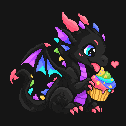
FramesCupcake DragonSuitBackground
idle
123
▾ Color⧉
#fd6986+ Save
Import paletteFrom imageExport
Palette
▾ Layers⧉
BlendNormal
Opacity100
Cupcake Dragon
Suit
Background
▸ Tiles⧉
126×126px · 4x3x1x · 30, 41 · Imported artwork
ColorLayersTilesFrames▾
- Imports PNG · GIF · sprite sheets
- Exports GIF · APNG · sprite sheets
- Saves .pxl in place on desktop
- Works offline
Pixel art and animation tools
- The full drawing kit. Pencil, eraser, fill, gradient, shapes, spray, blur and smudge, plus pixel-perfect strokes, dithered fills and custom brushes.
- Selections that do things. Marquee, ellipse, lasso and wand; grow, shrink, invert, flip, rotate and scale one, or capture a brush.
- Imports what you already have. PNG, JPEG, WebP, GIF and BMP images, sprite sheets on a grid, or an image sequence. Drop them in to trace over or to animate.
- Exports for games and the web. PNG (plain or indexed), JPEG, WebP, GIF, APNG, sprite sheets with JSON, or a ZIP of frames, scaled up to 16× with hard pixels.
- Saves back into your file. In supported desktop browsers, you can save changes back to your chosen
.pxlfile after granting permission. Other browsers download a copy. - Palettes in and out. Import
.gpland.hexfiles, pull a palette out of any image you drop in, export yours.
- Frame animation. A timeline under the canvas with per-frame timing, tags for loops, onion skin and playback, with up to 256 frames.
- Tilemap layers. Each tilemap layer has its own tileset: edit a tile once to update every placement of it. Convert a pixel layer to a tilemap and back.
- True indexed colour. Up to 256 colours edited live, remap any image to a palette with optional dithering, and palette lock across every tool.
- Symmetry that goes where you need it. Horizontal, vertical or both, on a draggable axis that lands on half-pixel positions, so even-width sprites mirror cleanly.
- Seamless tiling. Tiled mode repeats the canvas 3×3 around you, and every tool, fill and smudge wraps at the seams.
- Layers with blend modes. Up to 32 layers, eight blend modes, per-layer opacity and locks.
Help and guides
From your first pixel to a finished sprite.
Follow practical guides to drawing, animation, sprite sheets and saving your work.